


Purchase Order System: Admin, Configuration & ControlFeature In Depth
Trusted by a range of clients and businesses
























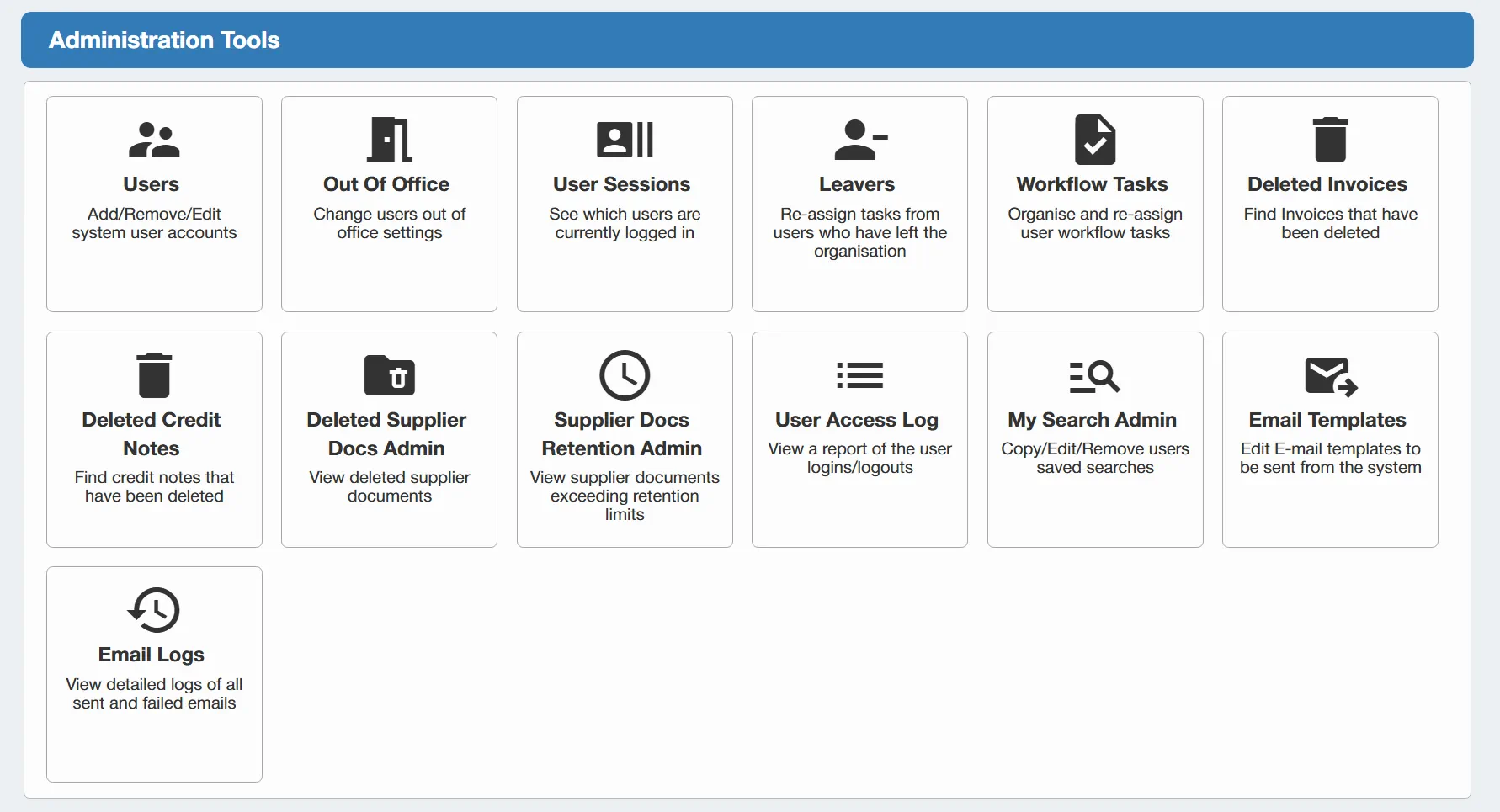
Full System Admin Control
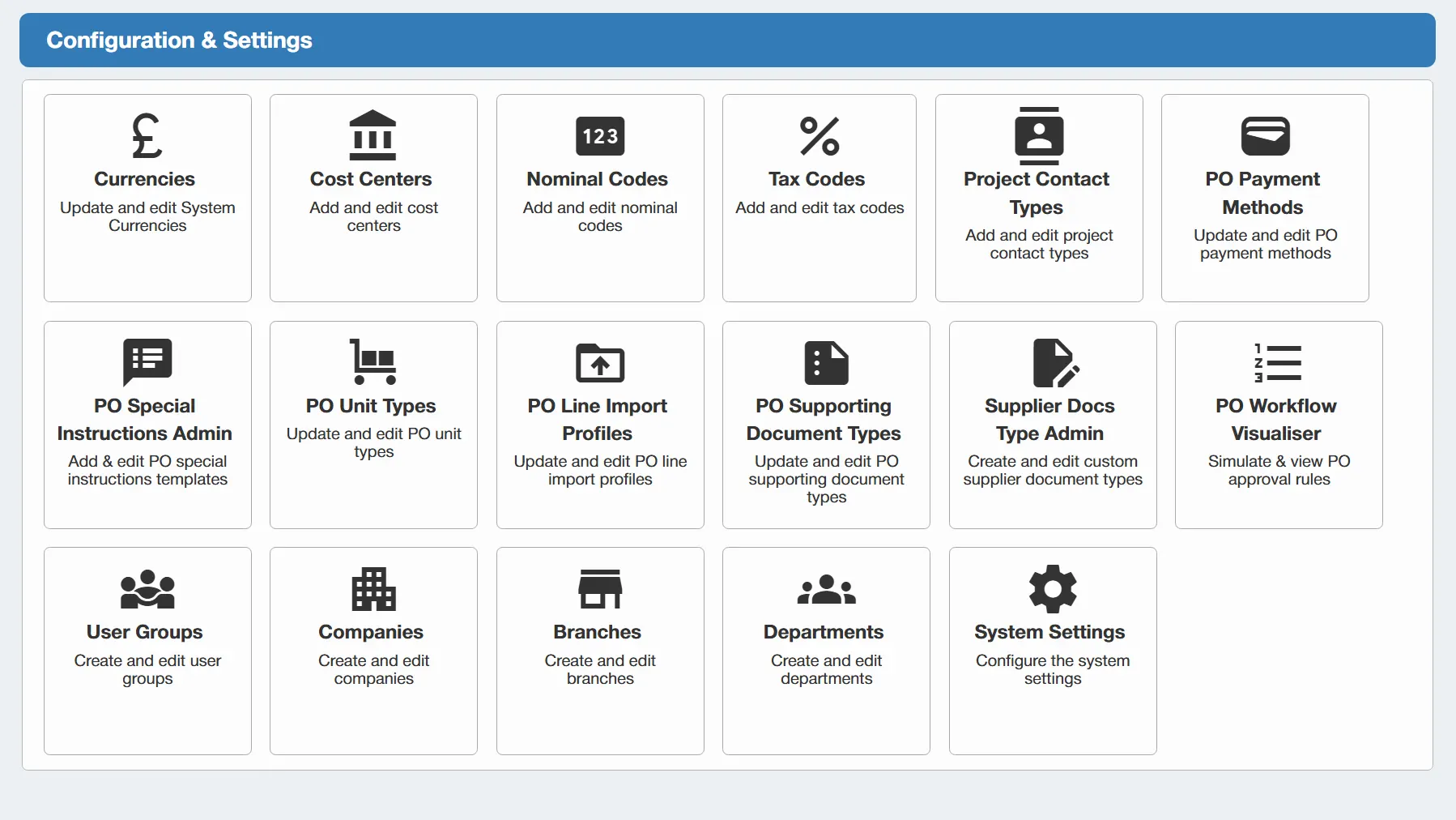
Give authorised administrators full control over the day-to-day management and configuration of the system. Admin users can manage key areas including:
- Users and access permissions
- Organisational structures
- Suppliers
- Budgets
- Approval workflows
- System settings and configuration
This allows routine changes to be managed internally, helping the system remain aligned with your organisation’s structure and processes as they evolve. This helps you:
- Maintain greater control over system administration
- Manage users, settings and structures centrally
- Adapt the system as business requirements change
- Reduce reliance on external support for routine updates
Manage Companies, Branches & Departments
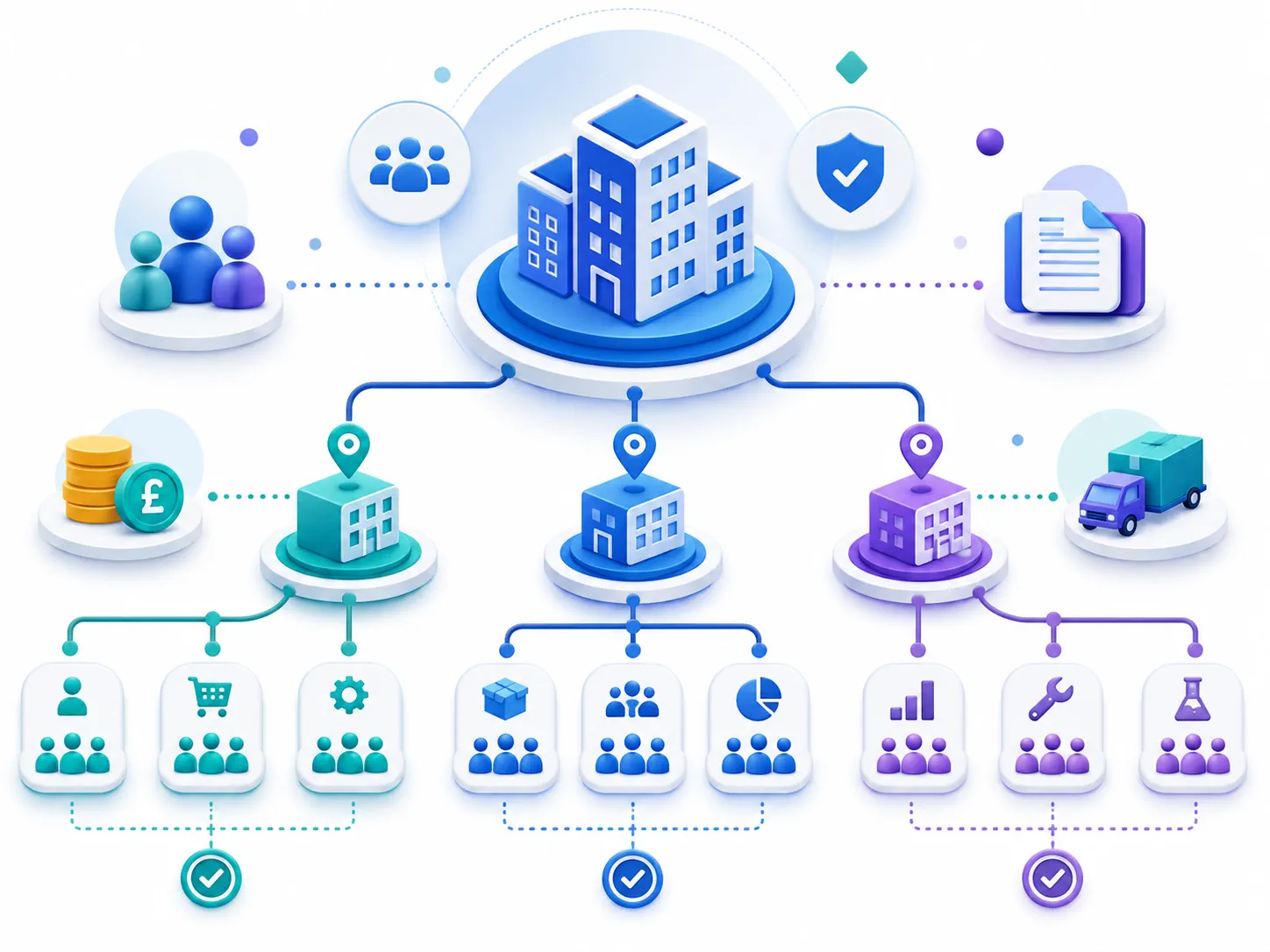
Build and maintain the organisational structure used throughout your purchasing process. Depending on your selected package, administrators can manage multiple companies, branches, locations, departments and business areas. Key purchasing information can then be assigned to the appropriate part of the organisation, including:
- Users
- Budgets
- Suppliers
- Approval Workflows
This helps ensure purchasing activity is recorded against the correct company, branch or department, giving you a clearer view of spend and activity across the business. This helps you:
- Reflect your organisational structure accurately
- Control purchasing across different business areas
- Improve visibility of departmental and company activity
- Keep users, budgets and approvals aligned to the right areas
Create & Manage User Groups
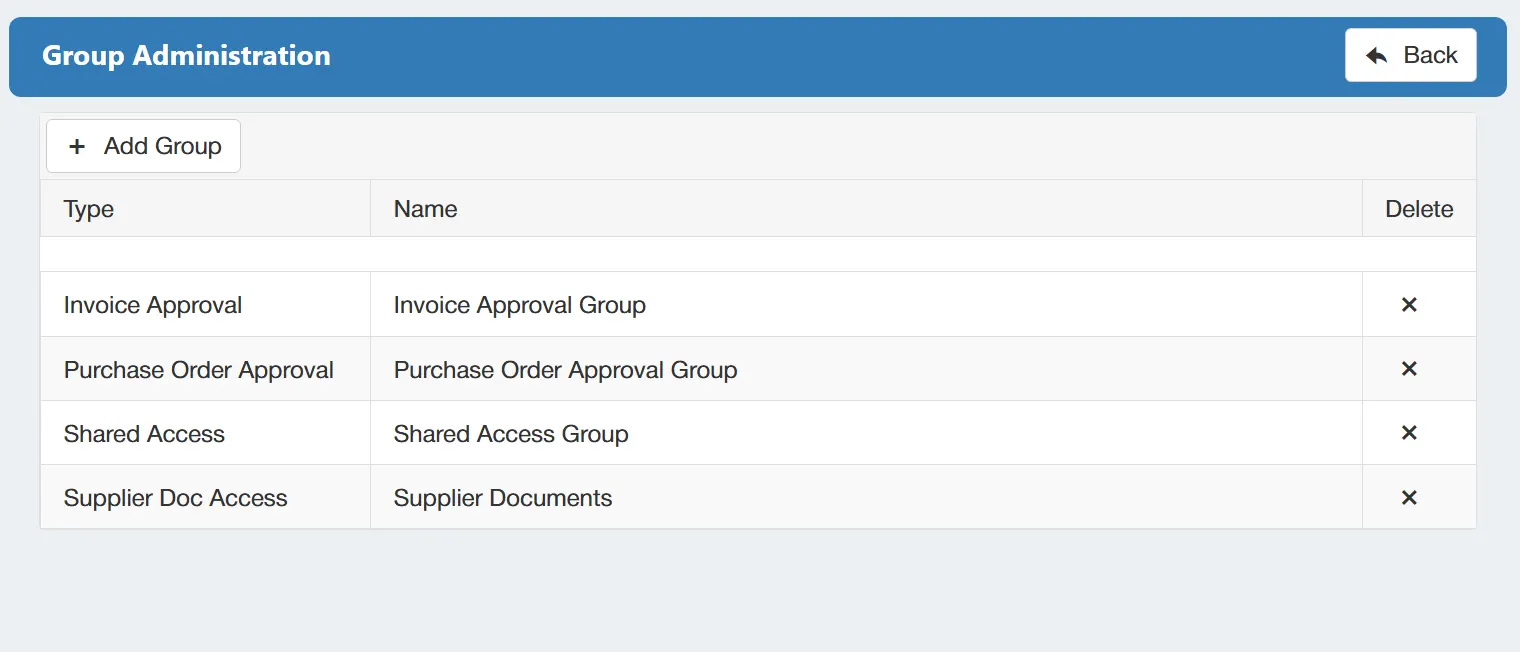
Simplify user management by organising people into groups based on how they work within your organisation. Groups can be created around areas such as; role or job function, department, company, branch, location, or purchasing responsibilities. Administrators can then use these groups to:
- Manage access and permissions
- Assign shared responsibilities
- Support consistent approval processes
- Avoid configuring every user individually
When teams or responsibilities change, groups can be updated centrally, making ongoing administration much easier. This helps you:
- AReduce repetitive user configuration
- Manage organisational changes more efficiently
- Keep access and responsibilities consistent
- Ensure users have the appropriate level of control
Visualise & Test PO Approval Workflows
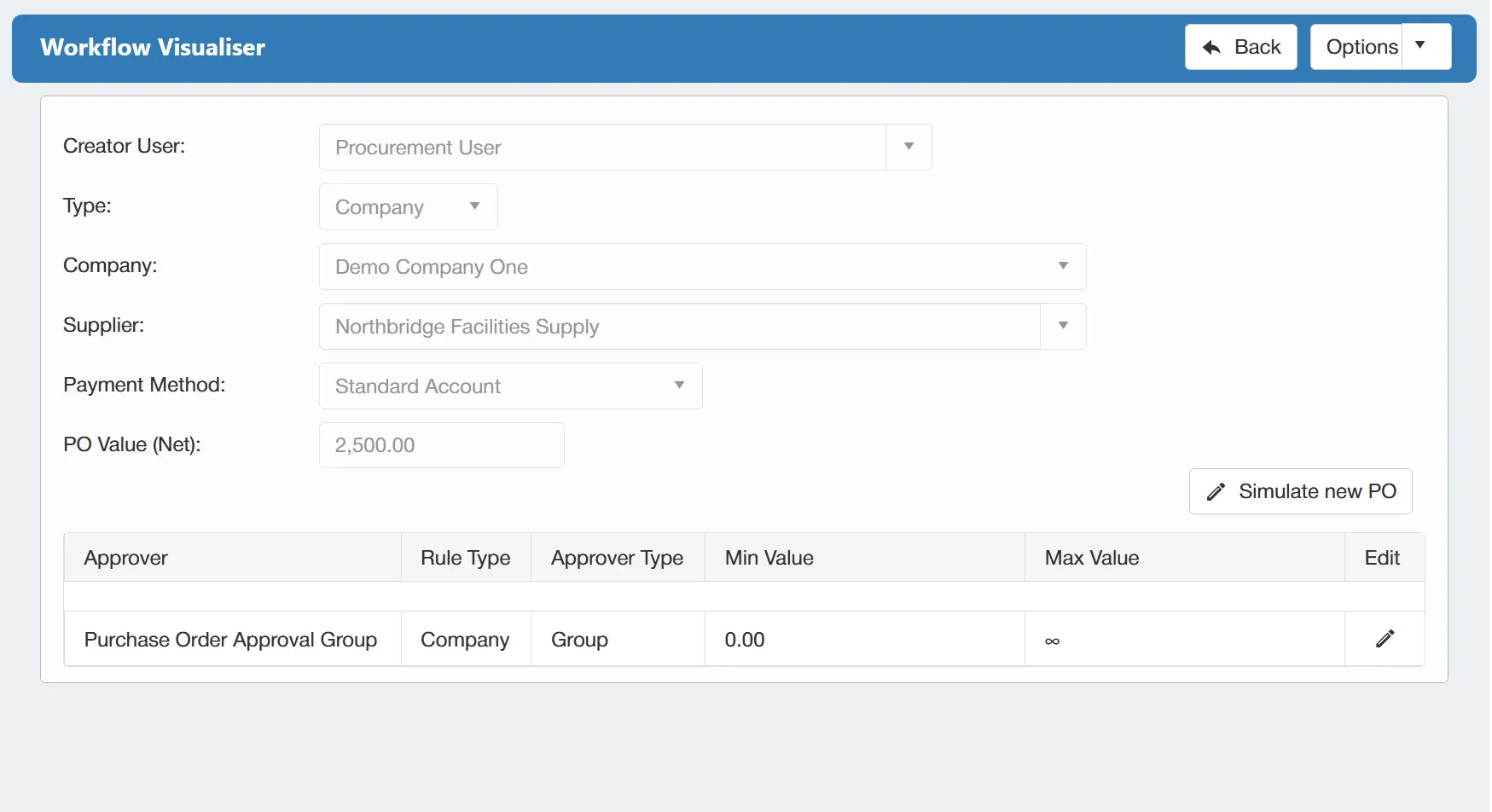
Make complex approval processes easier to manage with a clear visual view of every stage, approver and routing rule. Administrators can build workflows around factors such as:
- Purchase order value
- Selected supplier
- Company, branch or department
- Individual users or approval groups
- Different approval stages and routing conditions
Before a workflow goes live, different scenarios can be tested to confirm that purchase orders will follow the intended approval route. This helps your:
- Understand complex workflows more easily
- Identify configuration issues before going live
- Test routing changes safely
- Reduce approval workflow errors
- Make changes with greater confidence
Configure System-Wide Settings
Keep the system aligned with your organisation by configuring shared settings that control how it operates across the business. Administrators can manage options such as:
- Purchase order numbering formats
- System terminology
- Default behaviours and preferences
- Notifications
- Other organisation-wide settings
These controls allow the system to reflect your internal processes and policies while providing users with a consistent experience. This helps you:
- Standardise purchasing practices
- Maintain consistency across the organisation
- Adapt settings as business requirements change
- Reduce the need for user-by-user configuration

Training, Documentation & UK-Based Support
Give users the confidence to get more from the system with practical training, clear documentation and support from a UK-based team. Support is available across areas such as:
- Initial setup and implementation
- Day-to-day system use
- Administrator training
- Ongoing configuration and management
- Questions and troubleshooting
Users can also access clear reference materials and documentation whenever they need guidance. This helps you:
- Support a smoother implementation
- Encourage confident user adoption
- Give administrators the knowledge to manage the system effectively
- Provide users with reliable self-service guidance
- Access knowledgeable UK-based support when assistance is needed
Get your personalised Purchase Order Software quote or book a free system consultation
Please contact me to set up an initial discussion of our requirements / book a free online demonstration